Reassurance is part of the routine.
Caregivers described storytelling, singing, and talking as ways to help children settle. Most reported returning to the room one or two times during bedtime.
Human factors · Physical product · UX design
A little light. A familiar voice.
A gentler transition to independent sleep.
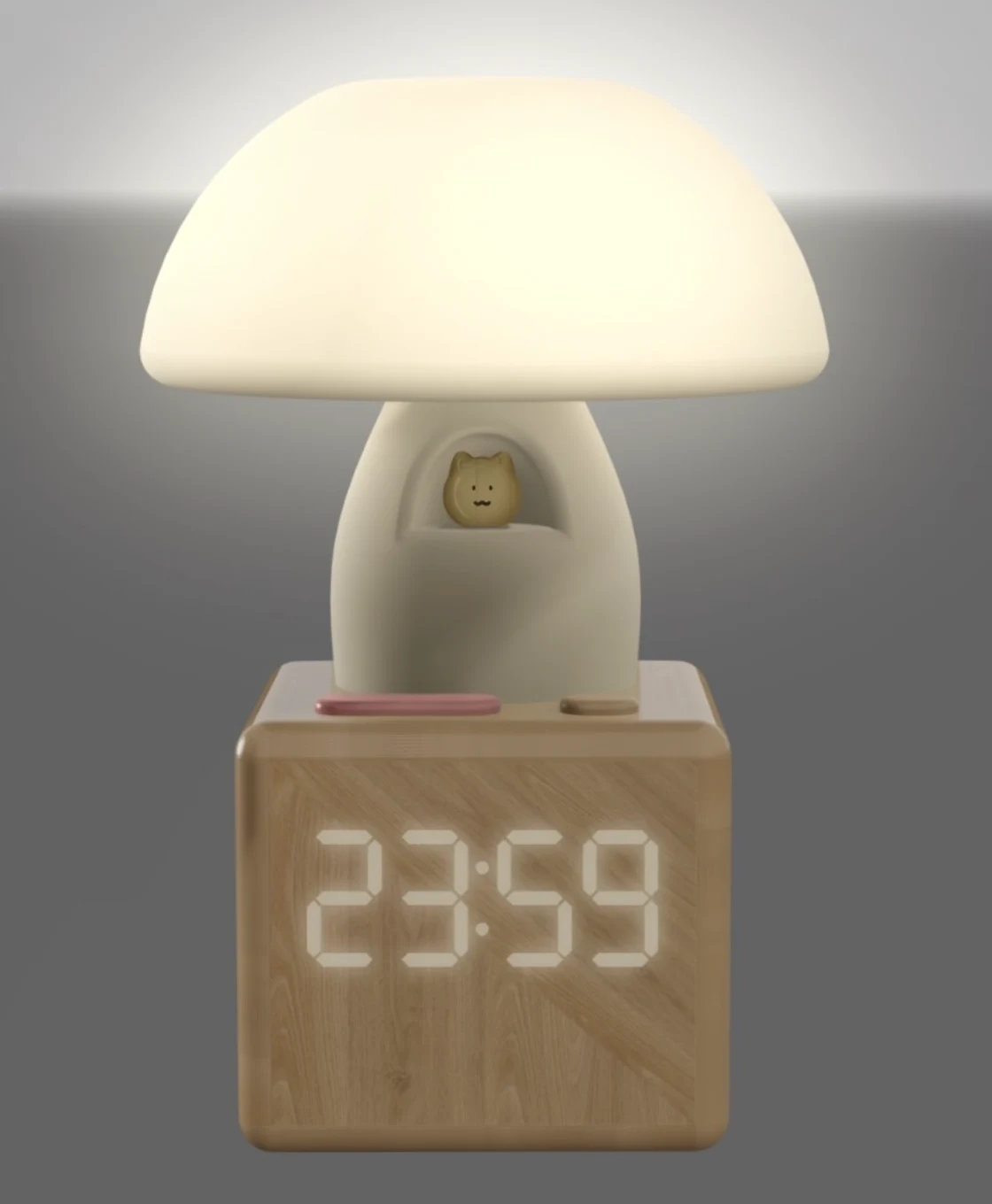
Lumino is a mushroom-shaped nightlight and companion app concept for children ages 1–5 and their caregivers. It brings a breathing light, bedtime stories, and parent-child communication into one system, designed around the moments when reassurance matters most.
01 / The challenge
At bedtime, children may need comfort just as parents are trying to step away. Our task analysis mapped both sides of this routine: a child reaching for reassurance, and a caregiver repeatedly deciding whether to return to the room.
The design question became: how might we give children a simple, tangible source of comfort while helping caregivers stay responsive from another room?
02 / Research
We combined a CLIMBER analysis of the family’s context, a caregiver questionnaire with nine responses, and a task analysis of bedtime routines. Most children represented in this small sample were ages 3–4.
Caregivers described storytelling, singing, and talking as ways to help children settle. Most reported returning to the room one or two times during bedtime.
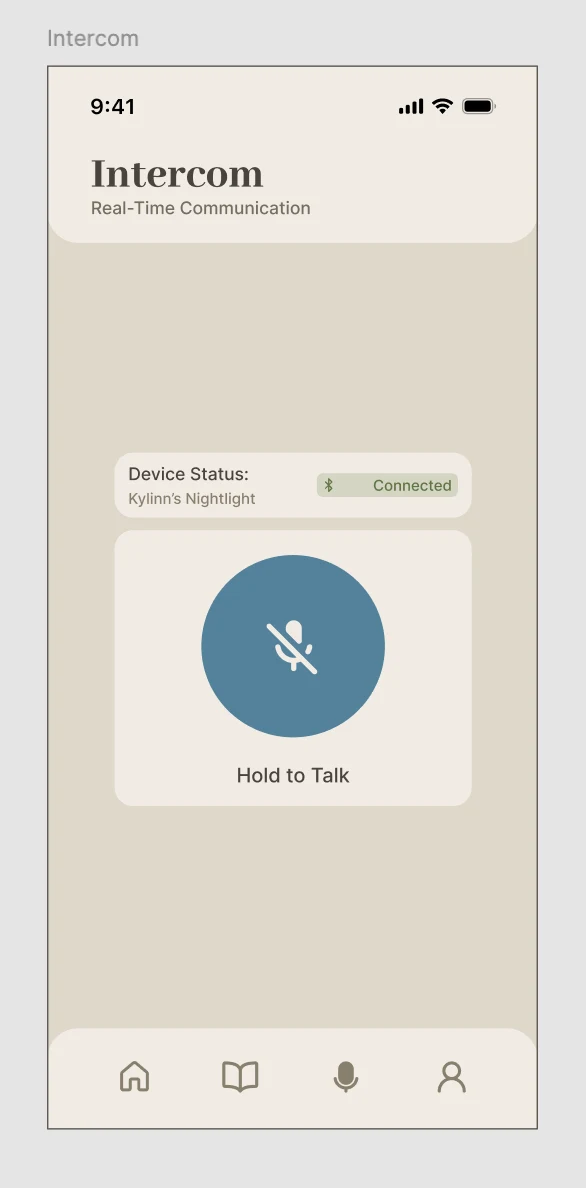
A young child in a dark room needs a physical action that does not depend on reading, navigating a screen, or precise finger movements.
The parent-facing experience needs to make controls and device state easy to understand during an already demanding routine.
03 / The concept
A gently pulsing light offers a visual breathing rhythm. A story button plays preloaded or custom audio. An intercom button lets the child reach a caregiver without leaving bed. These are intended benefits of the concept, rather than measured sleep outcomes.
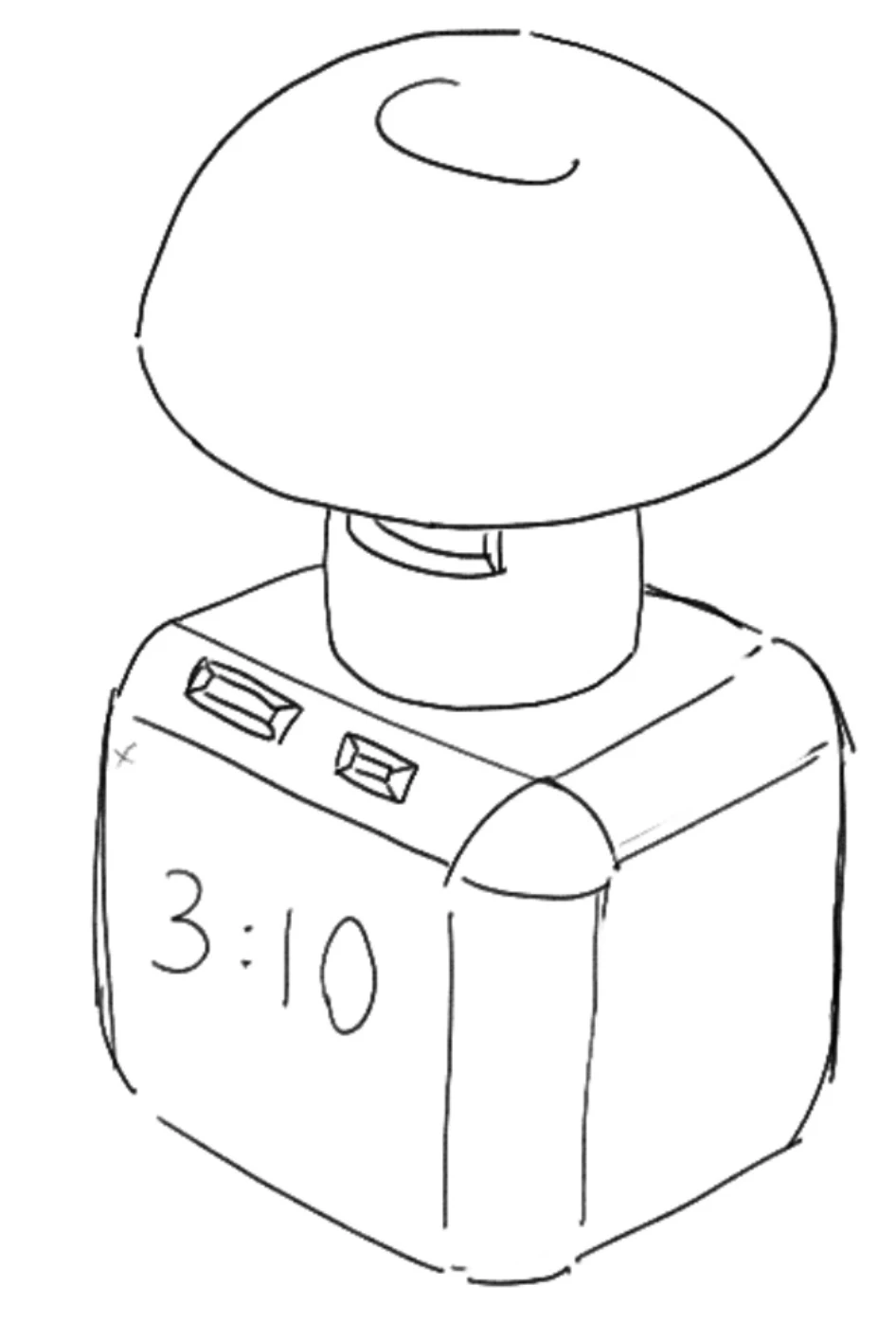
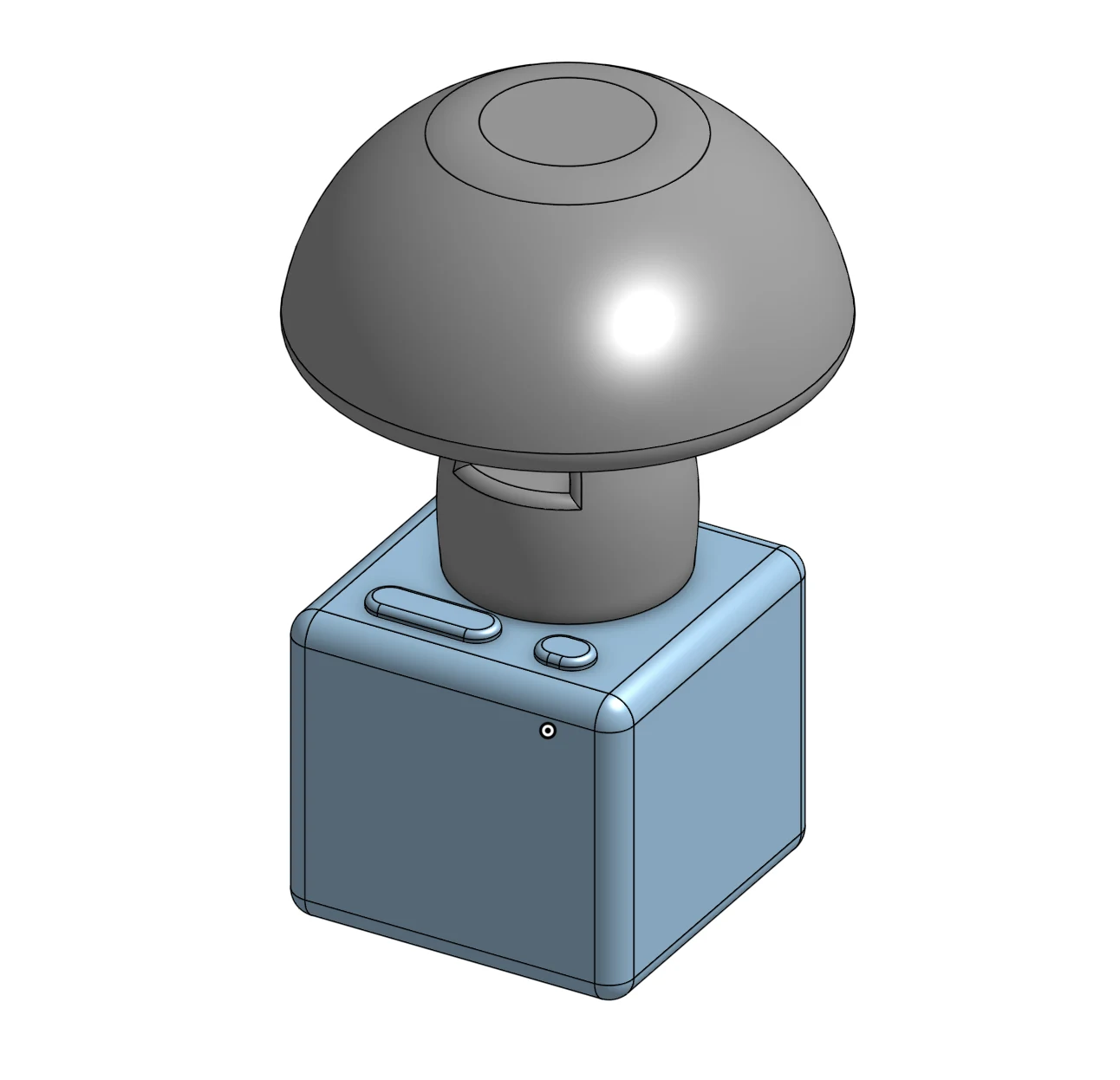
The proposed silicone cap supports an open-palm pat instead of pinching or twisting. Distinct tactile controls, rounded edges, and a stable base informed the physical design. Material suitability, charging safety, and real-world use would still need validation before a manufactured product.
04 / The companion app
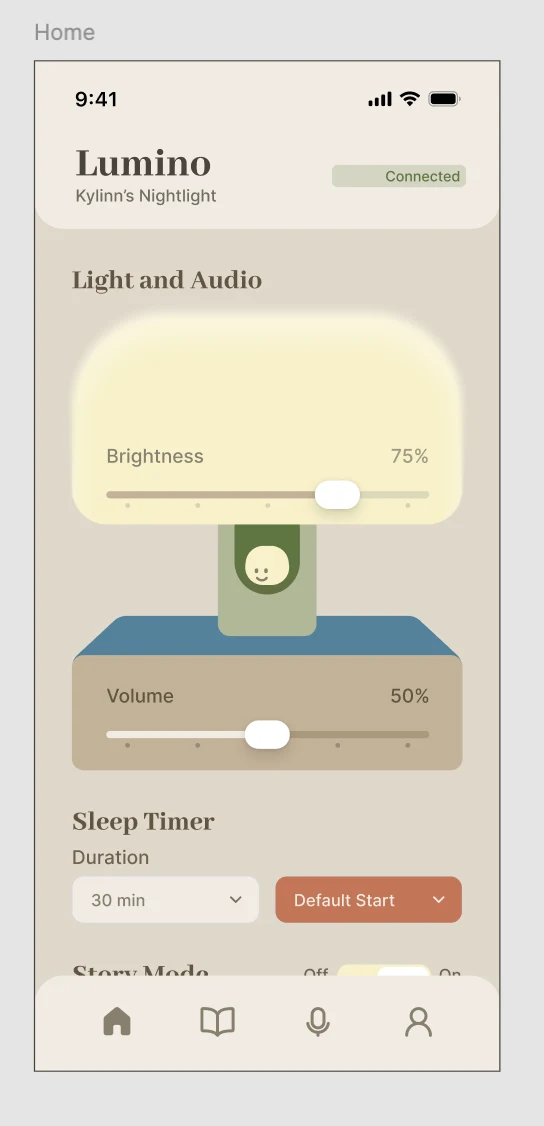
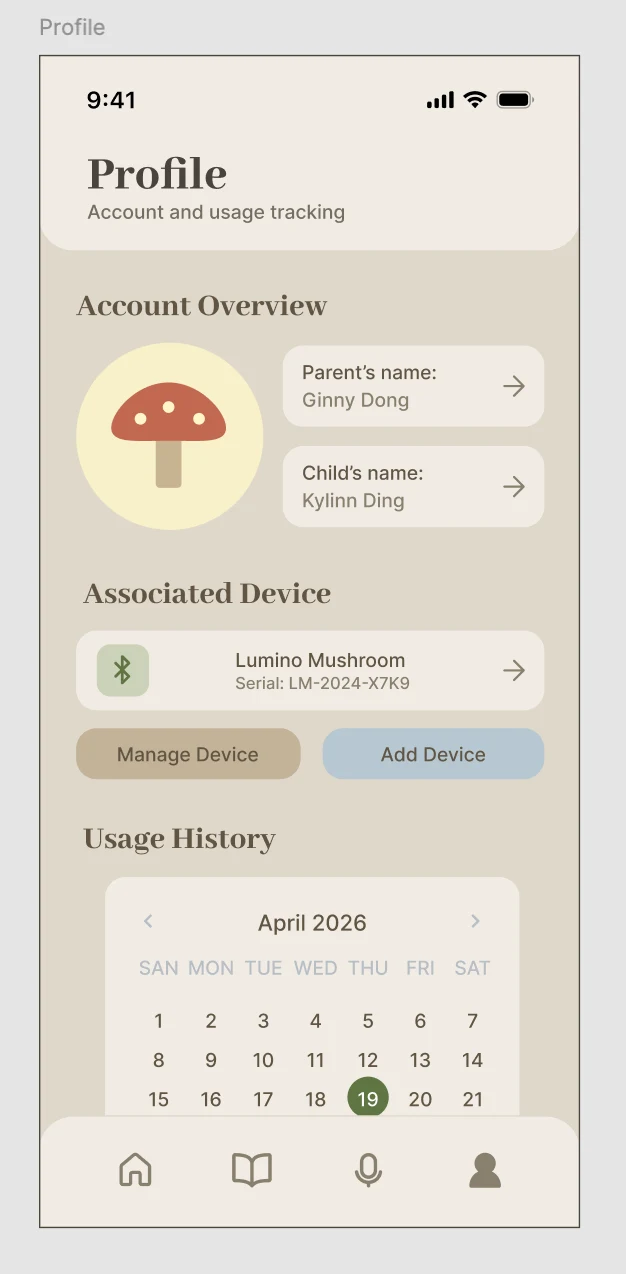
The app organizes the experience into Home, Story, Intercom, and Profile. Large controls, a warm palette, and consistent navigation support quick adjustments: changing brightness or volume, choosing audio, talking to a child, and reviewing usage history.
05 / Testing & iteration
We tested the app prototype with one parent of a four-year-old. The participant completed the core tasks, but the session exposed three points of friction. The findings guided a redesign; the report does not document a follow-up test of those changes.
Content below the visible area was initially missed. The revised Home screen partially reveals additional content to suggest that the page continues.
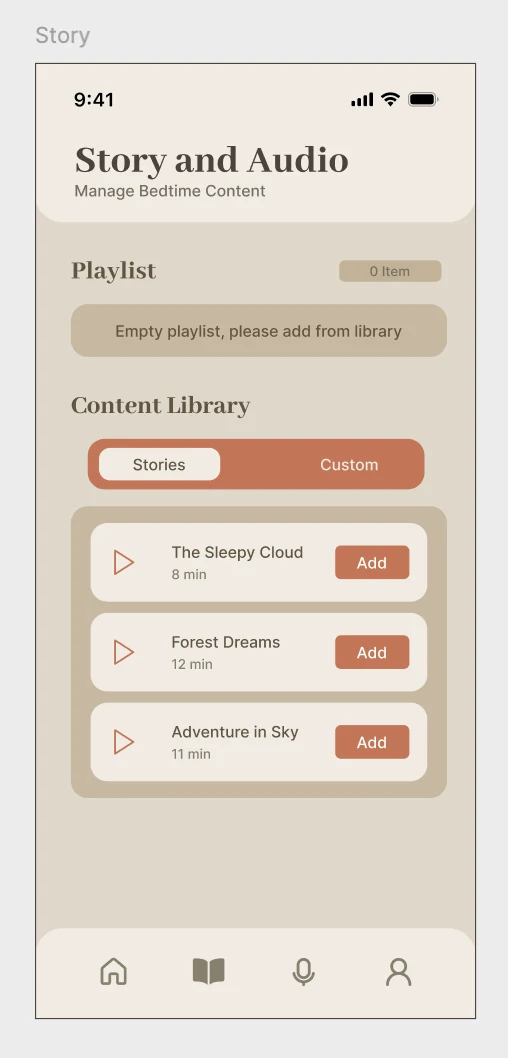
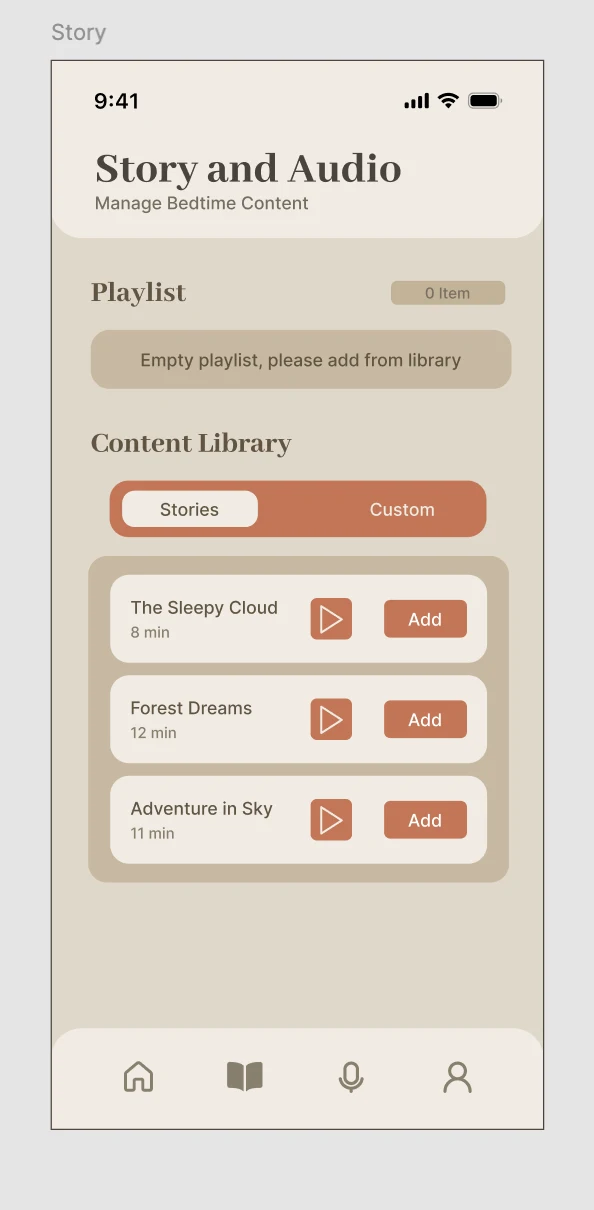
The participant hesitated when finding playback. We moved the preview control beside “Add,” keeping listening and selecting within the same interaction area.
Uncertainty about the active device reduced confidence. The redesign added associated-device information to the Profile screen.
06 / Reflection
This project connected emotional needs with physical and digital interactions. Task analysis helped us see bedtime as a shared experience; prototype testing showed how visibility and feedback can affect a caregiver’s confidence.
The outcome is a researched product concept, physical design exploration, and an iterated app prototype. Next steps would include testing with a broader group of families, evaluating the redesigned screens, and validating the integration between the device and app. The nine survey responses and single usability session offer direction, not evidence of general effectiveness.